Prerequisites & Limits
IMPS payouts usually arrive within minutes, any day.
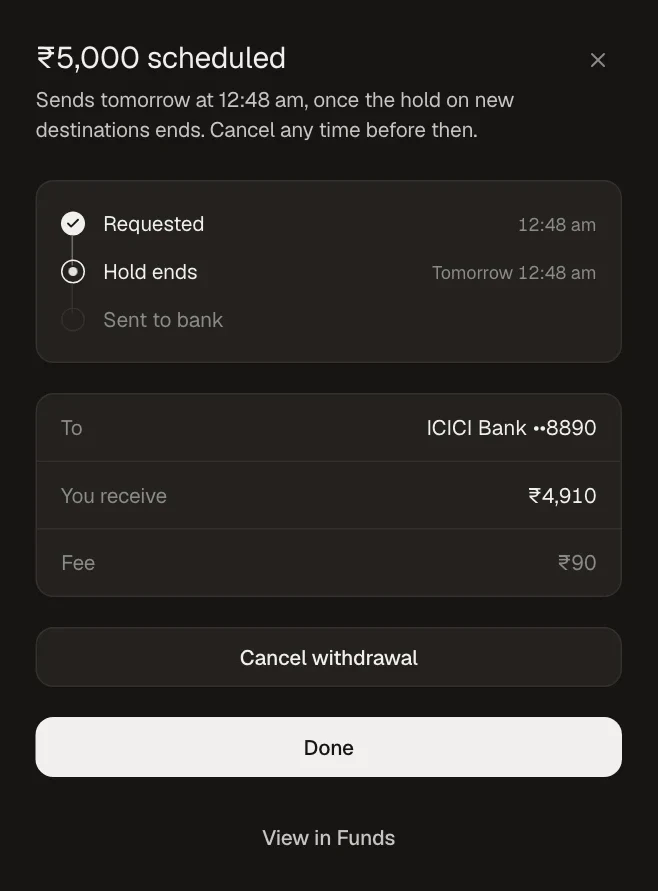
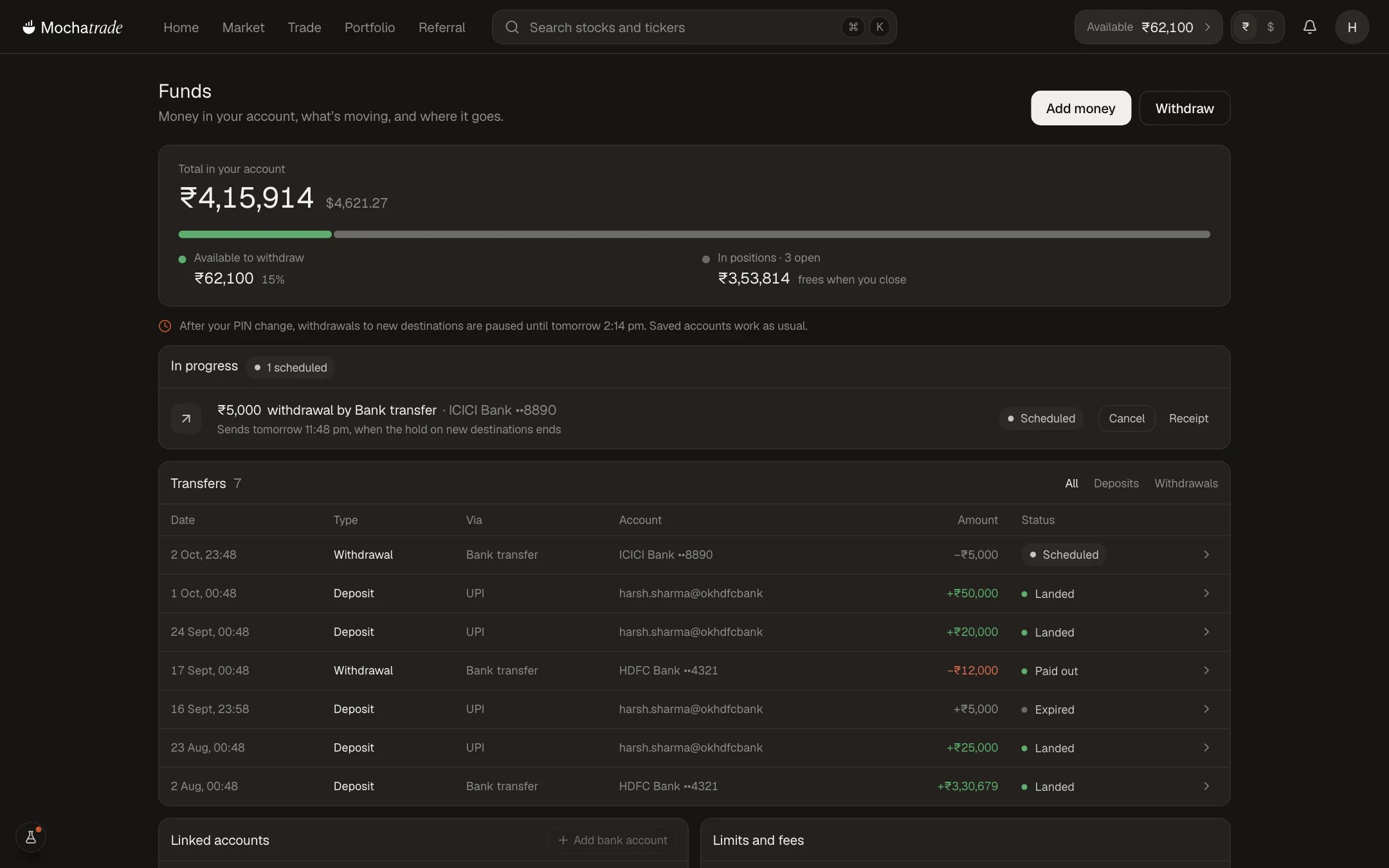
Holds: Withdrawals to new destinations may take 24 hours to process after a PIN, phone number, or email change.
The maximum time for your withdrawal to be processed and credited to your registered bank account is 72 working hours. This timeline applies to UPI, IMPS, and bank transfers.
Step-by-Step Navigation
Sign in at mochatrade.com or download the app and open Funds.
Find the withdrawal under Transfers and check its status.
If it's Scheduled, it sends when the hold ends; you can cancel before then.
If it's past 72 working hours, contact support with the reference number.
Common Failures & Troubleshooting
Scheduled, not sent: A hold applies. It sends automatically when the hold ends.
Failed withdrawal: The bank account may be inactive. The amount will be refunded to your Mochatrade account within 72 working hours. If you do not receive the refund within this period, please contact customer support for further assistance.
Paid out but not in my bank: Share the reference number with your bank, then with support.
Withdrawal status shows completed but not received after 72 working hours?: Please contact our support team for further assistance.